Gym class booking app: what to look for, what it costs and how to choose one for a studio or gym
What a gym class booking app does, the seven features to check, the prices Bookwhen, TeamUp, Mindbody and Glofox publish, how health forms fall under data protection law, and when a studio should buy ready-made or have a system built.
By GP 14 minute read
TL;DR: A gym class booking app should let members book and cancel classes, join a waiting list, use memberships or class packs and pay online, while giving you attendance and reports. Published prices run from free on Bookwhen to about £89 a month per location on Mindbody, with TeamUp and Glofox priced by the size of your membership or by quote.
Key takeaways
- A gym class booking app replaces the WhatsApp messages, paper registers and spreadsheets a studio runs on, so members can book, cancel and pay on their own and you can see who is coming.
- The seven features that matter most are class scheduling, booking and cancelling, a waiting list, memberships and class packs, online payments, reminders and attendance reports.
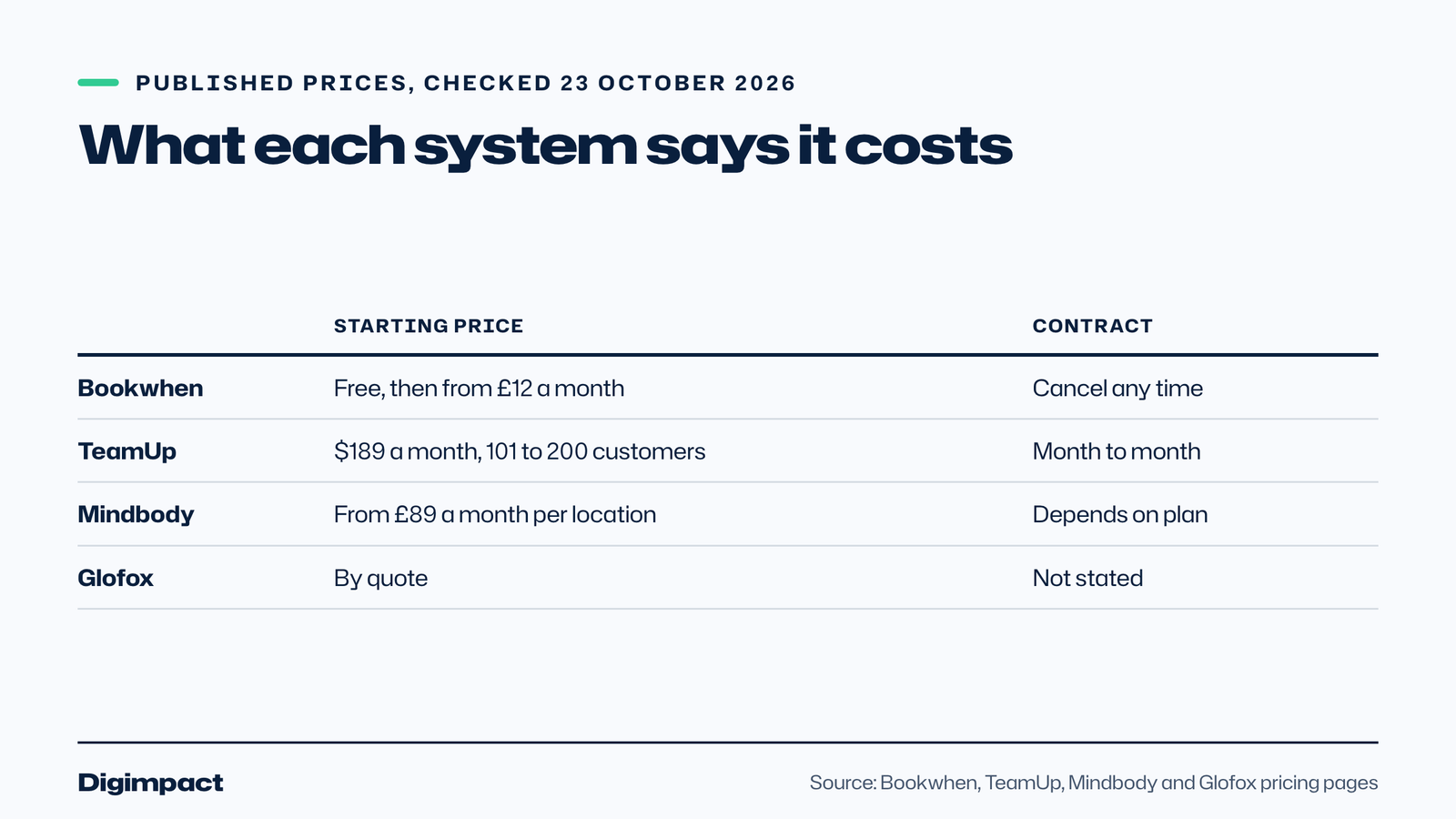
- Published prices differ widely. Bookwhen has a free plan and paid plans from £12 a month, Mindbody says from £89 a month per location, TeamUp showed $189 a month for 101 to 200 active customers, and Glofox prices by quote.
- A branded mobile app is usually an extra. TeamUp lists its custom branded app at $99 a month, and Mindbody sells its branded app as an add-on on higher plans.
- Health forms such as a PAR-Q hold health data, which the ICO treats as special category data that needs an extra legal condition before you process it.
- Start with a free trial on your real timetable, and only look at custom software if no ready-made system fits how you run classes.

A studio owner runs twelve classes a week from a WhatsApp group and a spreadsheet. A member messages at ten at night to cancel, another asks whether there is a spare place, and somebody turns up for a class that was already full. None of it is difficult, but all of it lands on one person.
A gym class booking app takes that work away. This guide explains what such a system does, the seven features worth checking before you choose, what the main systems say they cost, how health forms are treated under UK data protection law, and when it makes sense to have a system built instead of renting one.
What does a gym class booking app do?
At its simplest, it shows your timetable online, lets a member reserve a place and tells you who is coming. Most systems add the parts that take the most admin: memberships and class packs, online payments, reminders, waiting lists, attendance records and reports.
The booking page can be a link, a widget on your own website or a mobile app. The members’ view matters more than the owner’s, because a member who finds booking awkward will message you instead, and then you have the same problem you started with.
Whether you call it a class booking system or a booking app, the test is the same: does it handle your real week, including the waiting list and the memberships you already sell?
Fitness software also tends to bundle things that are not about booking, such as door access, point of sale and marketing emails. That can be useful, but each extra raises the price, so decide which parts you will really use before you compare.
Seven features to check
Work through this list with your own timetable in front of you. A system that cannot handle one of your normal weeks is the wrong system, however good its demo looks.
- Class scheduling. Repeating classes, one off workshops, different rooms and instructors, and the ability to cancel a single session without breaking the series.
- Booking and cancelling. Members can book, cancel and see their upcoming classes without contacting you, and you can set a late cancellation cut off.
- A waiting list. When a class is full, members join a list and are offered a place automatically when someone cancels.
- Memberships and class packs. Monthly memberships, ten class passes, drop in prices and expiry dates, all tied to bookings so a pass is used when a member books.
- Online payments. Card payments at checkout, repeat billing for memberships, and clear reporting for your accounts.
- Reminders. Email or text reminders before class, which cut no shows without you chasing anyone.
- Attendance and reports. Who attended, who did not, which classes fill and which do not, and how many members each pass type serves.

What do the main systems cost?
Prices below are what each company publishes on its own pricing page, checked on 23 October 2026. They change often, and payment processing fees are usually charged on top, so treat them as a starting point and check before you commit.
| System | Published price | Branded app | Contract |
|---|---|---|---|
| Bookwhen | Free for 50 bookings a month, then £12, £19 or £39 a month plus VAT | Website integration, no branded app listed | Cancel any time, two week free trial |
| TeamUp | $189 a month for 101 to 200 active customers, priced in US dollars | Custom branded app at $99 a month | Month to month, no setup fee |
| Mindbody | From £89 a month per location, higher plans by conversation | Add-on on higher plans, price not stated | Terms depend on the plan |
| Glofox | By quote after a short form | Not stated on the page | Not stated |
A few details sit behind those numbers. Bookwhen says its plans cover only the subscription, and that online payments carry a separate fee from your chosen provider, which can be Stripe or PayPal. Mindbody says there is no onboarding fee on any plan but lists premium data conversion as a separate cost, and its payments carry a processing rate plus a small fixed fee.
Mindbody also describes a marketplace app that takes a fee on a new client’s first purchase, which it states as 20 per cent up to a cap. That only applies if you list your classes there, and you should know about it before you do.
How do you compare the prices fairly?
The headline monthly price is only one line of the real cost, and the systems above count it in different ways. Bookwhen limits bookings and team members by plan, TeamUp scales the price with the number of active customers, Mindbody charges per location, and Glofox gives a quote. To compare any booking app fairly, convert each into the same question: what would this cost me in a normal month with my members?
Add up four things for each shortlisted class booking system. The first is the subscription at your size. The second is the payment processing fee on your typical sale, for example a single drop in class and a monthly membership. The third is any app, text message or support add-on you know you want. The fourth is any one off cost for moving your data in.
Then work out the cost per member per month and compare it with what you charge. A system that costs £40 a month and serves 200 members is a rounding error, while the same system serving 15 members is a visible slice of your income. Smaller studios selling memberships often do better on a plan with a free or low entry price, and larger ones on a plan that scales with members.
Also check how the price rises. If an extra location, a second instructor account or a higher booking limit moves you into a new plan, ask where the next jump is and whether you will reach it within a year.
Do you need your own branded app?
Many studio owners ask for an app because members expect one. In practice there are three levels, and the cost rises at each.
The first is a booking page that works well on a phone, which members open from a link in your Instagram bio, your website or a message. This is included with almost every system and is enough for many studios.
The second is the supplier’s own members app, where your members find your classes inside an app that carries the supplier’s name. The third is a branded app with your name and logo on the home screen, which TeamUp and Mindbody both list as an extra.
If you have a small number of regulars, start with the first level and ask your members whether they would actually download an app. If you grow into several locations or a large membership, the case for a branded app gets stronger.
How should you handle memberships, packs and payments?
Check how the system treats each thing you sell. A monthly membership that renews on the same day, a block of ten classes that expire after three months and a drop in price for visitors are three different products, and some systems handle one of them well and the others awkwardly.
Ask what happens when a payment fails, whether the member is told automatically and whether bookings pause until it is sorted. Ask who receives the money and how quickly, and what the processing fee is for a card payment, because it affects your margin on a low priced class.
Our guide to the right to cancel an online booking explains how UK rules on cancelling distance purchases interact with your own cancellation policy, which matters for packs and memberships sold online.
How do waiting lists and late cancellations work?
A waiting list does two things. It fills the places that would otherwise be wasted when a member cancels, and it tells you which classes are really in demand, which helps you decide when to add a session.
Test it on a full class. Join the list with a spare account, cancel a booking and see how fast the offer arrives, how long the new member has to accept and what happens if they do not.
Late cancellation rules are where studios lose the most money and the most goodwill. Write the rule in plain words, show it at the point of booking, and check that the system applies it automatically instead of leaving you to make awkward decisions class by class.
What about health forms and member data?
Many studios ask new members to complete a health questionnaire before their first session, such as a PAR-Q. That form holds health information, and the rules for it are stricter than for names and email addresses.
The Information Commissioner’s Office says health data is personal data related to the physical or mental health of a person, and that it counts as special category data, which needs an extra condition under the UK GDPR before you can process it. Its guidance on special category data also says appointment details or invoices count only where they reveal something about health.
In practice, collect only what you need, keep the forms in the booking system or another secure place instead of in a shared inbox or a WhatsApp group, and be clear in your privacy notice about what you hold and why. If you are not sure which legal condition applies to your studio, ask an adviser before you start collecting forms.
Should you buy a system or have one built?
For most studios, a ready-made system is the right answer. It is quick to start, it is maintained by someone else and the cost is spread over many customers. Start a free trial, enter your real timetable and see whether it copes.
A custom build starts to make sense when your classes do not fit the standard model, for example if you combine classes with appointments, sell packages across several sites, or need the booking to sit inside your own website and member area. It costs more at the start and you depend on whoever builds it, so ask who owns the code and what happens if you part ways.
At Digimpact we build booking systems to order for businesses that run classes and appointments, with a fixed price in writing after a short call, and you own the result. Our booking systems service explains how that works, and the page for gyms and studios shows what we would set up for a studio. If a ready-made system fits, we will tell you so.

What mistakes do studios make when they switch?
Most problems come from the switch itself, not from the software. Moving members to a new gym class booking app is a change for them as well as for you, and a rushed move creates the exact messages you were trying to stop.
The most common mistake is choosing from the demo. A demo shows a tidy timetable with a few classes, while your real week has repeating sessions, a cover instructor and members on three different pass types. Enter your own week in the trial and see what breaks.
The second is moving everyone on the same day. Move one class group first, such as the Monday evening regulars, and let them find the problems for you. Ask them what was confusing, fix it, then move the next group.
The third is forgetting what members already hold. A member who bought a ten class pass last month should keep the unused classes, and a member on a monthly plan should not be charged twice. Decide how each existing pass will be carried over before you import anything, and write it down so you can explain it to members in one sentence.
The fourth is leaving the old way running. If members can still book by WhatsApp, many will, and you will be running two systems. Tell them the date the old route closes, repeat it in class, and reply to late messages with a link to the booking page.
Finally, keep a copy of your member list, memberships, waiting list and attendance history before you leave your old system, and ask any supplier how you can export your data if you ever decide to move again. That one question tells you a good deal about how the supplier treats its customers.
What to do this week
- Write down your real week: every class, room, instructor, pass type and price.
- Mark the three things that waste most of your time today, such as cancellations, payments or chasing no shows.
- Shortlist two systems and start a free trial on each, using your real timetable.
- Test a full class, a waiting list, a late cancellation and a failed payment.
- Ask each supplier for the total monthly cost including payment fees and any app you want.
- Decide where health forms will live before you collect any.
- Move one class group first, then the rest, and tell members a week in advance.
If your website is where members find you, run our free website check as well. It looks at speed on phones, what Google can read and your business details.
Frequently asked questions
What is the best gym class booking app for a small studio?
There is no single best. Bookwhen has a free plan and low priced paid plans, TeamUp prices by the size of your membership, Mindbody publishes a per location starting price and Glofox quotes. Try two with your real timetable before you decide.
How much does a gym class booking app cost?
Published starting prices run from free to about £89 a month per location, with other systems priced by active customers or by quote. Payment processing fees and a branded app are usually extra.
Do members need to download an app to book classes?
Not always. Most systems offer a booking page that works in a phone browser, and a branded app is usually an optional extra. Ask your members before you pay for one.
Is a health questionnaire personal data under UK GDPR?
Yes, and the ICO treats health data as special category data. You need an additional legal condition to process it, so keep forms secure and only collect what you need.
Should I build a custom booking system for my gym?
Only if a ready-made system cannot handle how you run classes. For most studios a trial of two ready-made systems is the quickest and cheapest test.
Want a booking system built around your studio?
We build booking systems to order for businesses that run classes and appointments, tied to a website that Google can read and members can use on a phone. Booking systems are a fixed quote after a 30 minute call, and websites start from £300 a year per site, including hosting, your domain and five pages. See our booking systems service or tell us how your classes run and we will say what would suit.
Keep reading
- How to make Reels for business on a phone, step by step A practical guide to filming Instagram Reels for a local business on a phone: what to film, how long Reels should be, how to edit and caption them, when to post and how to reuse them on other platforms.
- Apple Business Connect is now Apple Business: how to get your business on Apple Maps (2026 UK guide) Apple Business Connect became part of Apple Business in April 2026. This UK guide shows how to add your business to Apple Maps in seven steps, what is free and available in the UK, and how to use showcases, action buttons and insights.
- How to choose your Google Business Profile categories How to choose the right Google Business Profile categories, why the primary category matters most, when additional categories help, the mistakes Google warns against, and how to change them safely.
Free website check
How does your own website do?
Enter your website and see a quick check on screen in about 20 seconds: speed, Google, phones and the details that win the click. A full written report follows within two working days, free and with no sales call unless you ask.
Want help with this?
Tell us about your business. We reply within one working day with a time for a 30-minute call, and a fixed quote afterwards.
Rather talk now? Call 07551 079787.
Thanks, that is with us.
We will reply within one working day with a time for a call.