The UK business directories worth listing in, and the ones to skip
Which UK business directories a small business should list in, which are free, how to keep your details consistent, and the paid directories and listing services to think twice about.
By GP 13 minute read
TL;DR: The UK business directories that matter most are the maps people actually use: Google Business Profile, Bing Places and Apple Maps through Apple Business, plus a Facebook Page. After those, add free listings on Yell, Thomson Local and FreeIndex, then the sites your customers use for your trade, such as Tripadvisor for hospitality or Checkatrade for trades. Keep your name, address, phone and website identical everywhere, and avoid paying for bulk directory submissions.
Key takeaways
- The most important UK business directories are the maps customers use: Google Business Profile, Bing Places and Apple Maps.
- Bing Places, Yell, Thomson Local, FreeIndex and Tripadvisor all offer a free business listing, checked on 14 October 2026.
- Yell says businesses on Yell.com get an average of 3.5 million visits a month between them.
- Trade and sector sites, such as Checkatrade for trades or Tripadvisor for hospitality, often matter more than general directories.
- Keep your business name, address, phone number and website identical on every listing, and avoid paying for bulk directory submissions.
Which UK business directories should a small business list in?
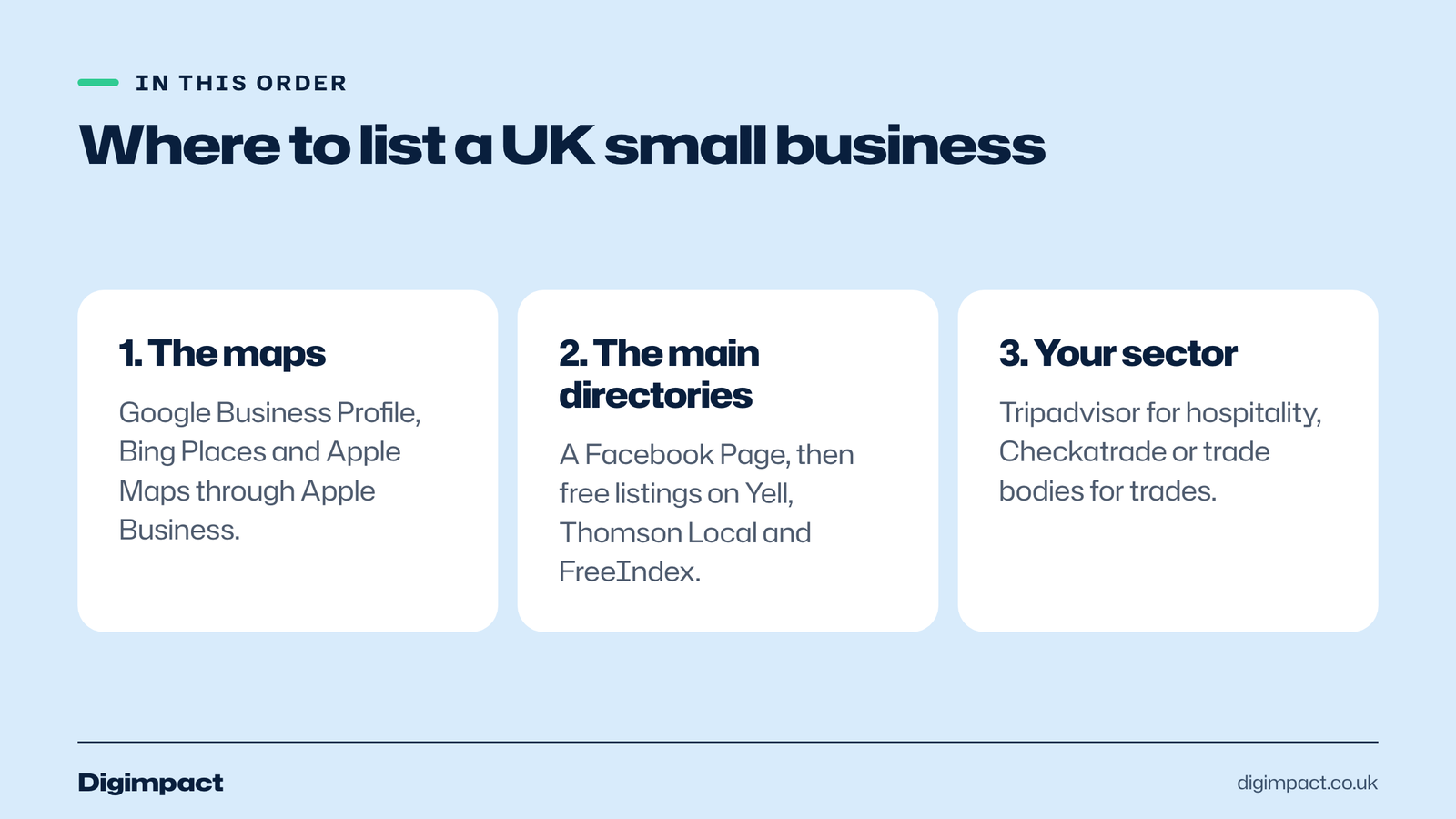
Start with the maps people use to find local businesses: Google Business Profile, Bing Places and Apple Maps, plus a Facebook Page. Then add free listings on the main UK business directories, such as Yell, Thomson Local and FreeIndex, and finally the sites your customers use for your type of business, such as Tripadvisor or Checkatrade.
The aim is not to have business listings everywhere. It is to be listed correctly in the places your customers look, with the same details each time. Ten accurate local listings that customers actually use are worth far more than a hundred on directories nobody visits.
We checked each directory’s own website on 14 October 2026 for what it offers and whether a basic listing is free. Offers change, so check the details when you sign up, and expect some free directories to contact you about paid upgrades.
| Directory | Type | Basic listing | Best for |
|---|---|---|---|
| Google Business Profile | Maps and search | Free | Every local business |
| Bing Places | Maps and search | Free | Every local business |
| Apple Business (Apple Maps) | Maps | Claim your place card | Every local business |
| Facebook Page | Social | Free | Most local businesses |
| Yell | General directory | Free profile | Most local businesses |
| Thomson Local | General directory | Free listing | Most local businesses |
| FreeIndex | Directory and reviews | Free | Services and trades |
| Tripadvisor | Reviews and travel | Free to claim | Restaurants, pubs, places to stay |
| Checkatrade | Vetted trades | Paid membership | Builders, plumbers, electricians |
Why do business directories still matter?
Business directory listings still matter because customers use some of them to find and check local businesses, and because consistent listings help search engines trust that your details are right. The maps matter most, because they appear when people search for a service near them, but the main directories and review sites add reach and reassurance.
Google’s help page on improving your local ranking says prominence, one of the factors in local results, is based partly on how many websites link to your business and how many reviews you have. A good listing on a well-used business directory can provide both a mention of your business and, sometimes, reviews.
Directories also help customers directly. Yell says businesses on Yell.com receive an average of 3.5 million visits a month between them, and Tripadvisor offers free listings where visitors read reviews of restaurants and pubs. Being there, with correct details and good photos, catches customers you would otherwise miss.
Start with the maps: Google, Bing and Apple
The three maps are the most important business listings of all, because they power the map apps on most phones and appear when people search for services nearby. Claim and complete your Google Business Profile first, then Bing Places and your Apple Maps place card through Apple Business, with the same details on each.
- Google Business Profile is the most used. Our guide to setting up a Google Business Profile covers verification, categories and photos.
- Bing Places for Business says businesses can list on Bing for free, and puts Bing’s daily active users at over 140 million.
- Apple Business lets you manage your place card on Apple Maps, with photos, showcases for offers and events, custom actions such as booking, and insights into how customers find you.
Once these three are right, customers using different phones and search engines will all find the same information.
A Facebook Page counts as a directory too
Yes. A Facebook Page with your address, phone number, opening hours and website works as a listing that many local customers check, especially for restaurants, pubs, salons and events. Keep it consistent with your other listings, and link it to your Instagram business account so both stay up to date.
Facebook Pages are free. Fill in the About section completely, choose the right category, and add your website link. Even if you post more on Instagram, the Facebook Page can appear when people search for your business name, so keep the details accurate.
Free UK business directories worth adding
After the maps, add free listings on the main UK business directories: Yell, Thomson Local and FreeIndex. Each offers a free business listing, and each business directory is used by some customers to find local services. Fill in every field, add photos and link to your website.
- Yell. Yell offers a free Yell Business profile and says businesses on Yell.com get an average of 3.5 million visits a month. Expect Yell to contact you about its paid marketing services after you sign up.
- Thomson Local. Thomson Local offers free business advertising that shows your phone number to customers searching in your area, with paid Business and Priority listings that add more.
- FreeIndex. FreeIndex is a free UK business directory and review site, listing more than 450,000 local business reviews, and suits service businesses and trades.
These three take about an hour together. Use the same business description on each, adapted slightly, and the same photos as your Google profile.

Sector directories often matter more
For many businesses, the most valuable listing is not a general directory but the site customers use for that trade. Restaurants, pubs and places to stay should claim their Tripadvisor listing. Trades should consider Checkatrade or similar vetted trade sites. Salons, clinics and other services should look at the booking and review platforms their customers use.
- Tripadvisor. Tripadvisor offers a free business listing to claim, so you can edit details, upload photos and reply to reviews. It matters most for hospitality and visitor attractions.
- Checkatrade. Checkatrade says every trade passes up to 12 checks and is continually rechecked, and lists more than 6 million reviews. Membership is paid, so compare the cost with the work it brings.
- Trade and professional bodies. Many trade associations and professional bodies have a member directory. If you belong to one, make sure your listing is complete.
- Local directories. Town and community sites, chambers of commerce and local business groups often run directories that local customers trust.
Ask your best customers how they found you. If several mention the same site, that is a listing worth getting right.
How do you keep your business listings consistent?
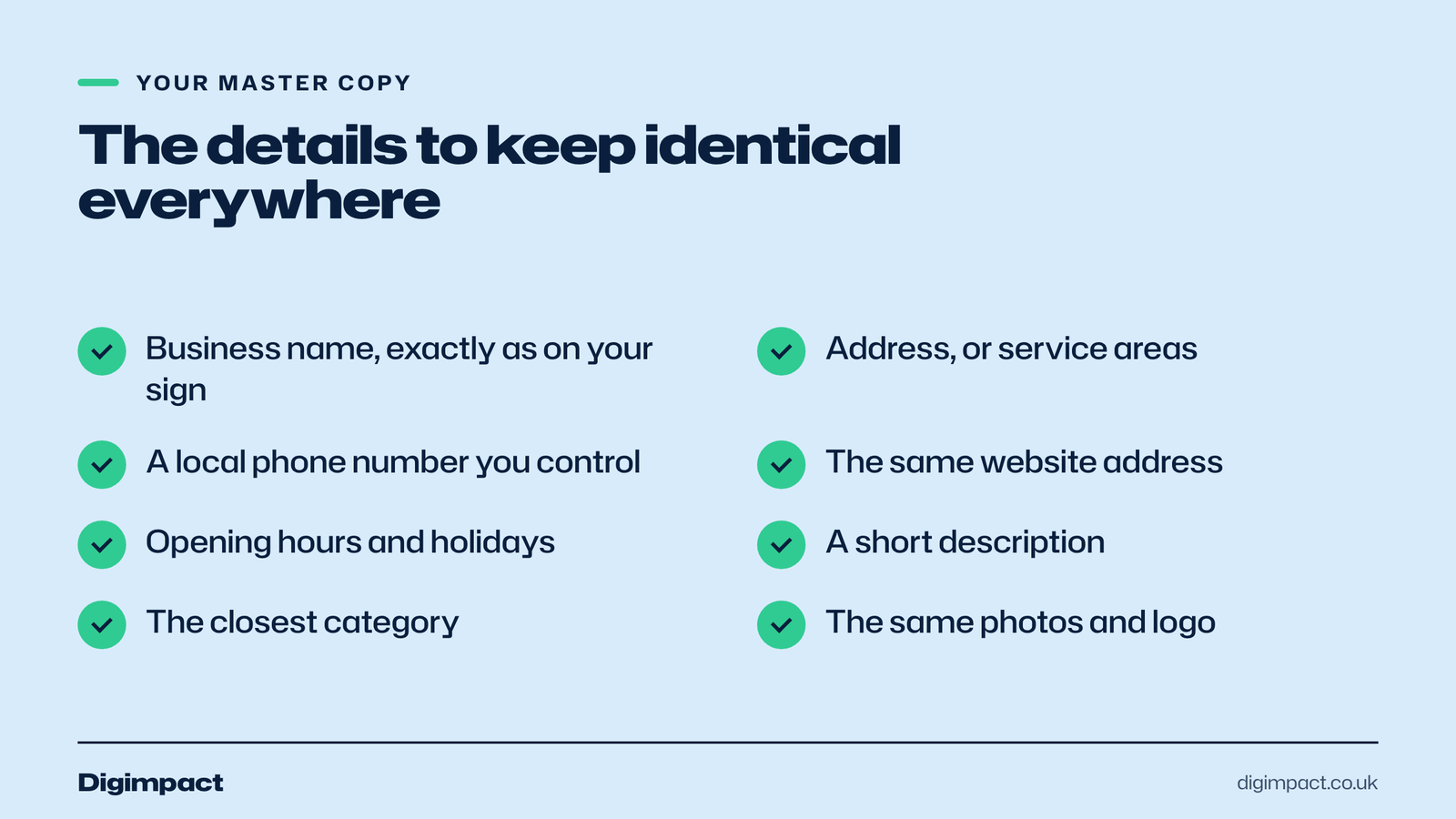
Use exactly the same business name, address, phone number and website on every listing, written the same way. Keep a simple master copy of your details and paste from it every time. When anything changes, such as a new phone number or moving premises, update every listing in the same week.
Inconsistent local listings confuse customers and make it harder for search engines to be sure which details are right. A common problem is a business with an old phone number on a directory it forgot about, or a slightly different name on each site. Our local SEO checklist includes keeping listings consistent as one of its core steps.
Your master copy should include:
- Business name, exactly as on your signage, with no extra keywords.
- Address, written the same way every time, or service areas if you travel to customers.
- Phone number, a local number you control.
- Website address, the same version every time, such as https://www.yourbusiness.co.uk.
- Opening hours, including how you show bank holidays.
- A short description, two or three sentences about what you do and where.
- Categories, the closest match on each directory.
- Photos and logo, the same set used on your Google profile.
How do you write a good directory listing?
A good directory listing answers what you do, where and how to get in touch in the first two lines, uses the closest category, shows real photos and links to your website. Fill in every field the directory offers, because a complete business listing looks more trustworthy and gives customers fewer reasons to look elsewhere.
Write a short description once and adapt it for each directory. Start with the service and the town, such as Family-run plumbing and heating in Waterlooville, then add two or three facts customers care about: how quickly you respond, whether quotes are free, and the areas you cover. Avoid stuffing it with keywords; it should read naturally.
Use the same photos as your Google profile: the outside of your premises, your team, and your best work. Add your opening hours, payment options and any accreditations. If the directory allows reviews, reply to them in the same polite way you reply on Google.
How do you know which directories bring customers?
Ask new customers how they found you, and add a simple tracking tag to the website link on each directory so your analytics show which listings send visitors. Within a few months you will know which UK business directories are worth your time and which you can leave on autopilot.
A tracking tag is a short addition to the end of your web address, such as ?utm_source=yell&utm_medium=directory, which Google Analytics reads to show where visitors came from. Google’s free Campaign URL Builder creates them. Use a different source name for each directory, and check the referral report in your analytics each month.
Many directory customers phone rather than click, so also note how callers say they found you. A simple tally by the phone for a month is enough to spot the business directory that brings real work.
Should you remove old or duplicate listings?
Yes. Old listings with a previous address or phone number, and duplicate listings for the same business, confuse customers and search engines. Claim them and correct the details, or ask the directory to merge or remove the duplicate. Start with the directories that appear when you search for your business name.
Search for your business name, your phone number and your old address on Google to find forgotten business listings. Work through them one by one, starting with the maps and the main UK business directories. Duplicates on Google Business Profile are the most important to fix, because Google’s guidelines allow one profile per location.
Which directories and services should you avoid?
Avoid paying for bulk directory submissions that promise hundreds of listings, directories that exist only to sell links, and any service that wants to own your listings. Be wary of unsolicited calls offering to fix or verify your Google listing for a fee; claiming and managing a Google Business Profile is free.
Low-quality directories add little for customers, and a flood of business listings on sites nobody visits is hard to keep up to date. When details change, every forgotten listing becomes a source of wrong information. A short list of directories you can maintain is better than a long one you cannot.
Be careful with paid upgrades too. Before paying for an enhanced listing on any business directory, ask how many people in your area searched for your type of business on that site last year, and how many calls or clicks similar businesses received. If the directory cannot tell you, keep the free business listing.
Are paid listings management services worth it?
Listings management services keep your details updated across many directories for a monthly fee. They can save time for businesses with several locations, but most single-location small businesses can manage their own local listings in an afternoon, plus a few minutes a month. Check what happens to your business listings if you stop paying.
Some services keep your listings correct only while you subscribe, and details can revert or be locked when you cancel. Ask before you sign up whether you keep control of each listing, whether you can export a list of every business directory they used, and how long the contract runs. For most small businesses, claiming the maps and a handful of directories yourself, or having your web or marketing partner do it in your name, gives the same result without the ongoing fee.
How long does it take to list your business?
The maps and main directories take an afternoon to set up and a few minutes a month to keep up. Google can take some days to verify your profile, and some directories check listings before they go live, so allow a week or two for everything to appear.
A simple order works well:
- Day one: claim and complete Google Business Profile, Bing Places and Apple Maps.
- Day two: update your Facebook Page and add Yell, Thomson Local and FreeIndex.
- Week one: claim your sector listing, such as Tripadvisor or a trade site.
- Every month: check reviews and messages on each, and update anything that has changed.

Frequently asked questions
What is the best free business directory in the UK?
Google Business Profile is the most important free listing, followed by Bing Places and Apple Maps. Among general UK business directories, Yell, Thomson Local and FreeIndex all offer free listings.
Do business directories help SEO?
They can help a little. Google says prominence in local results is partly based on how many websites link to your business and how many reviews you have. Consistent, accurate listings on directories customers use support that, but your Google profile and website matter more.
Should I pay for a directory listing?
Only if the directory can show it brings customers in your area. Free listings are enough for most small businesses. Sector sites, such as Checkatrade for trades, can be worth paying for if your customers use them.
How many directories should I list my business in?
As a rule of thumb, most small businesses need around ten good listings: the three maps, Facebook, the main UK business directories and one or two sector sites. Quality and accuracy matter more than quantity.
What if a directory has my old details?
Claim the listing and update it, or contact the directory to correct it. Old phone numbers and addresses confuse customers and search engines, so fix them as soon as you find them.
Want your listings set up and kept accurate?
Getting listed on the right UK business directories, with matching details everywhere, is one of the quickest wins in local search. Our local SEO service sets up and maintains your Google profile and key listings, and our Show up on Google Maps page explains how we do it.
Keep reading
- How to make Reels for business on a phone, step by step A practical guide to filming Instagram Reels for a local business on a phone: what to film, how long Reels should be, how to edit and caption them, when to post and how to reuse them on other platforms.
- Apple Business Connect is now Apple Business: how to get your business on Apple Maps (2026 UK guide) Apple Business Connect became part of Apple Business in April 2026. This UK guide shows how to add your business to Apple Maps in seven steps, what is free and available in the UK, and how to use showcases, action buttons and insights.
- How to choose your Google Business Profile categories How to choose the right Google Business Profile categories, why the primary category matters most, when additional categories help, the mistakes Google warns against, and how to change them safely.
Free website check
How does your own website do?
Enter your website and see a quick check on screen in about 20 seconds: speed, Google, phones and the details that win the click. A full written report follows within two working days, free and with no sales call unless you ask.
Want help with this?
Tell us about your business. We reply within one working day with a time for a 30-minute call, and a fixed quote afterwards.
Rather talk now? Call 07551 079787.
Thanks, that is with us.
We will reply within one working day with a time for a call.