Website security for small businesses: a practical checklist
A practical website security checklist for UK small businesses, based on the National Cyber Security Centre's guidance: securing your email and website accounts, passkeys, backups, updates and spotting phishing.
By GP 13 minute read
TL;DR: Good website security for a small business starts with the accounts behind the site: your email, hosting, domain and website logins. The NCSC recommends passkeys where available, otherwise strong unique passwords with 2-step verification, plus regular backups and care with scam emails, which it says start 85% of cyber attacks on businesses. Keep your website software and plugins updated, use trusted plugins only, and make sure you can restore the site from a backup.
Key takeaways
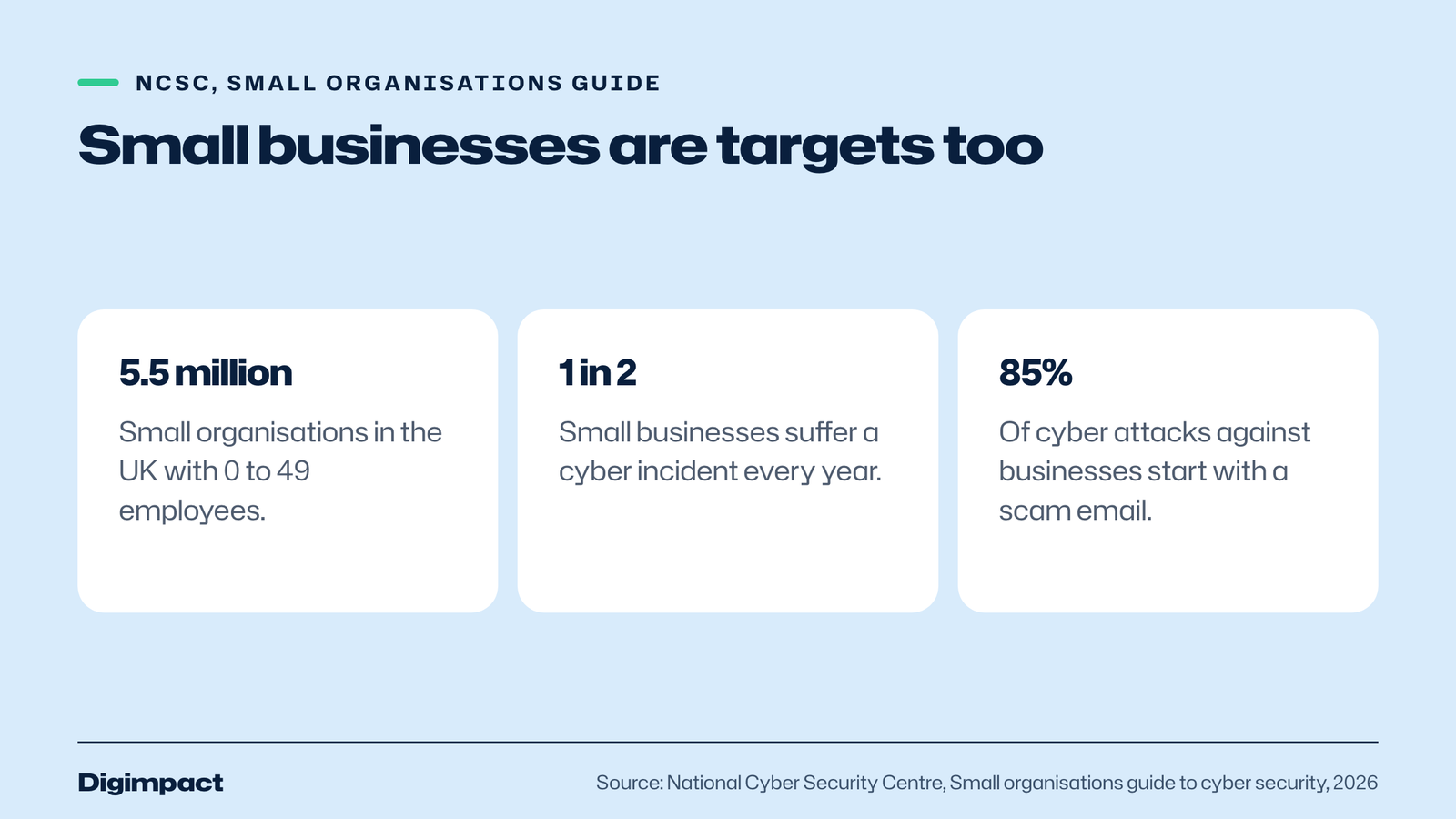
- The NCSC says there are 5.5 million small organisations in the UK and that 1 in 2 small businesses suffer a cyber incident every year.
- Website security starts with the accounts behind the site: email, hosting, domain and website logins.
- The NCSC recommends passkeys where available, and otherwise strong, unique passwords with 2-step verification.
- The NCSC says 85% of cyber attacks against businesses start with a scam email.
- Keep website software and plugins up to date, use trusted sources only, and keep backups you know how to restore.
Why does website security matter for a small business?
Website security matters because small businesses are targets too. The National Cyber Security Centre says there are 5.5 million small organisations in the UK, that small businesses are just as likely to experience online crime as larger ones, and that 1 in 2 small businesses suffer a cyber incident every year. A hacked website or email account can cost bookings, money and reputation.
The NCSC’s small organisations guide to cyber security, published in April 2026 and reviewed in July 2026, says many of its recommendations can be completed in as little as five minutes, and that you do not need to be a technical expert. Everything in this checklist comes from that guide and from WordPress’s own hardening guidance, checked on 15 October 2026.
The NCSC also says cyber security should not be left to one person: every member of the team should realise it is everyone’s business. For a small business, that means a few simple habits that everyone follows.
Step 1: Secure your business email first
Secure your email before anything else, because access to one inbox often gives access to everything else. The NCSC warns that a criminal in your business email could read private information, send messages pretending to be you, and reset the passwords to your other accounts, including your website and domain.
The NCSC recommends using passkeys where your email provider supports them, and says they cannot be intercepted, reused or stolen like passwords. If passkeys are not available, use a strong, unique password with 2-step verification. Even if you use a passkey, any password still set on the account should be strong and unique, with 2-step verification turned on.
Do this for every email account that matters, including shared inboxes such as hello@ or bookings@, which often have weak passwords because several people use them.
Step 2: Lock down your website, hosting and domain accounts
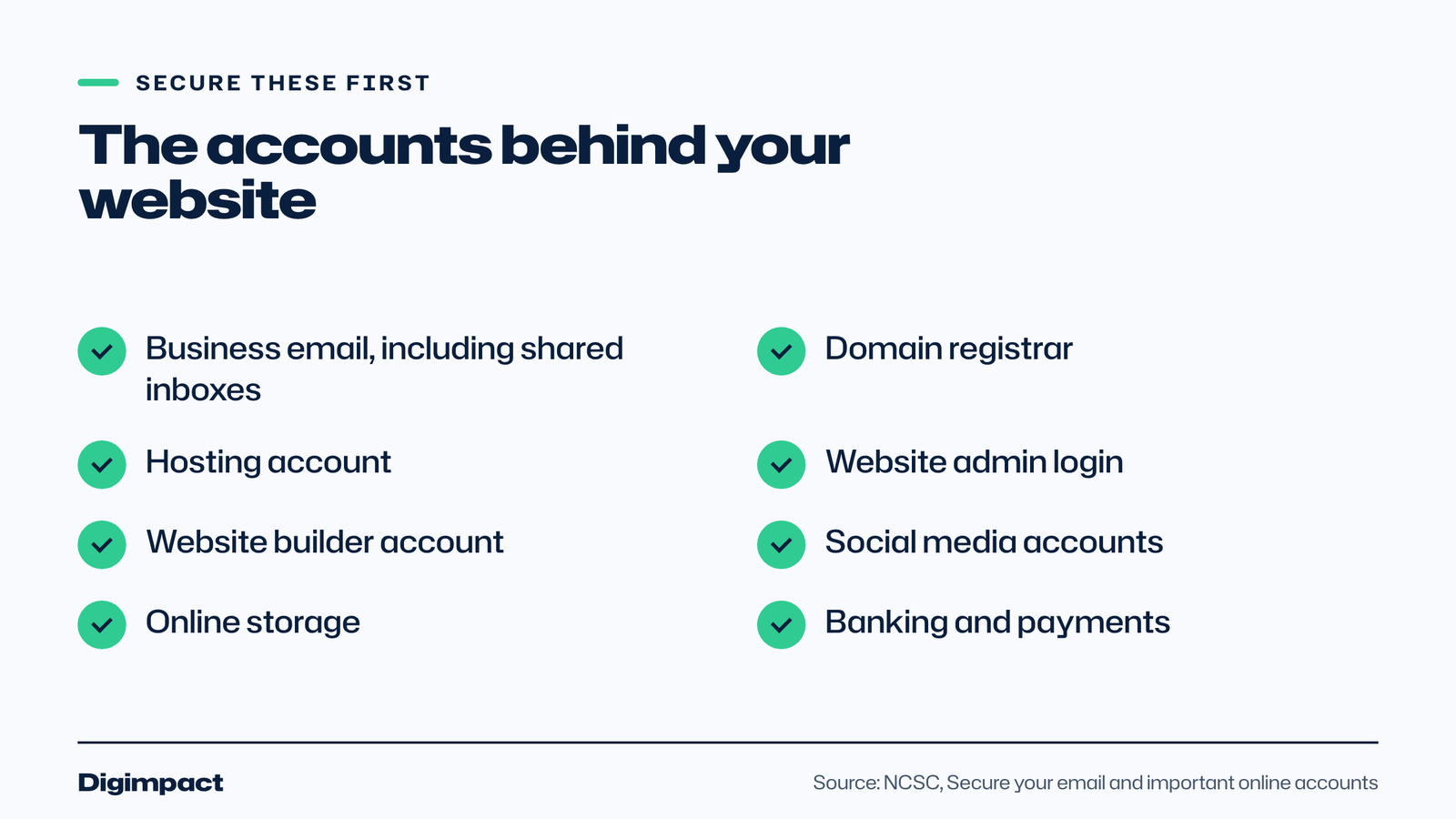
The NCSC lists your company website, and domain hosting if that is a separate account, among the important online accounts every business should secure. These are the keys to your website: whoever controls them can change the site, take it offline or move your domain. Protect each with a passkey or a strong, unique password and 2-step verification.
Make a list of every account behind your website: the domain registrar, the hosting company, the website’s admin login, any website builder account, and email provider. Check who has access to each, remove anyone who no longer needs it, and make sure the business, not a former staff member or supplier, owns them. Our guide to .co.uk or .com explains why the domain should be registered in your business’s name.
The NCSC also lists social media accounts, banking, payroll, online storage and point of sale software as important accounts. Apply the same protection to all of them.
Step 3: Use passkeys or strong passwords with 2-step verification
Passkeys are the NCSC’s recommended way to sign in where they are available, because they protect against phishing: you cannot be tricked into sharing a passkey with a criminal. Where passkeys are not available, the NCSC says to use a strong password you do not use anywhere else, supported by 2-step verification.
The NCSC says turning on 2-step verification is one of the most effective ways to protect accounts that still use passwords, because it helps stop criminals getting in even if they have your password. If you have reused passwords across business-critical accounts, it says to change them as soon as possible.
A password manager makes unique passwords practical, because it creates and remembers them for you. The NCSC has published guidance on using password managers and passkeys to stay secure online.
Step 4: Keep your website software up to date
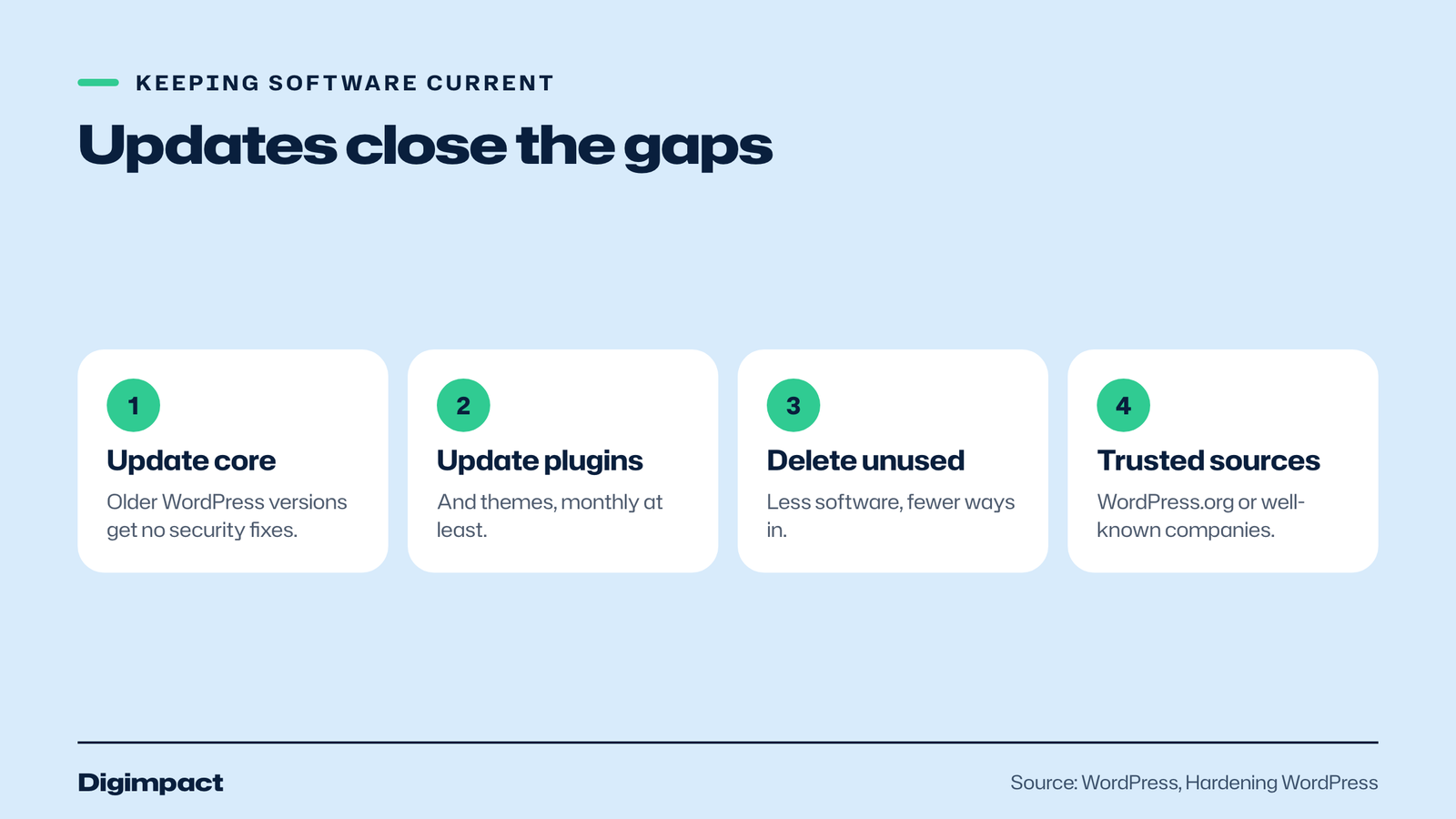
Keep your website’s software, themes and plugins updated. WordPress’s hardening guidance says you should always keep up to date with the latest version, and that older versions are not maintained with security updates. Turn on automatic updates where you can, and check monthly that nothing is out of date.
Website builders such as Wix, Squarespace and Shopify handle software updates for you, which is one of their advantages. On a self-hosted WordPress site, you or your web developer are responsible. Remove plugins and themes you no longer use, so there is less software to keep updated and fewer ways in.
WordPress’s guidance also says not to get plugins or themes from untrusted sources, and to stick to the official WordPress.org directory or well-known companies. WordPress warns that getting them from elsewhere may lead to problems.
What does your host do, and what is your job?
Your host looks after the servers; you look after your website and accounts. WordPress’s hardening guidance says it is easy to look at web hosts and pass them the responsibility for security, but that a great deal of it sits with you: the software you install, the passwords you set and the plugins you choose.
A good host keeps its server software current, protects its network and offers backups. WordPress’s guidance says a good host provides the most recent stable versions of server software and reliable methods for backup and recovery. Ask your host what it covers: backups and how long they are kept, malware scanning, firewalls and how quickly support responds.
Everything on the website side is yours, or your web developer’s if they maintain the site: updates, plugins, user accounts and passwords, and checking the site still works. If nobody is clearly responsible for each of these, that gap is the risk.
Does your website need HTTPS?
Yes. HTTPS encrypts the connection between your website and its visitors, which protects anything they type, such as contact form details, booking information or login passwords. WordPress’s guidance describes requiring an encrypted HTTPS connection for the admin area as the strongest way to protect logins, so that all communication and sensitive data is encrypted.
Many hosts now include a free SSL certificate, which is what enables HTTPS. Check that your site loads with https at the start of the address, that the old http version redirects to it, and that forms and pages do not show browser warnings. If your certificate expires or is set up wrongly, visitors may see a warning instead of your website.
Who should have access to your website?
Only the people who need it, with the lowest level of access that does the job. Give each person their own login rather than sharing one, so you can remove someone without changing everyone’s password. Review the list every few months and whenever a member of staff or a supplier leaves.
Limiting access is one of the general principles WordPress’s hardening guidance starts with: make choices that reduce the possible entry points available to a malicious person. In practice, that means an editor login for someone who only updates the menu, an administrator login only for whoever maintains the site, and no forgotten accounts left from a past web designer.
Step 5: Back up your website and data
Back up your website, email and business data so you can recover if something goes wrong. The NCSC says backups protect you if ransomware locks your data, a device is lost, stolen or stops working, or you move to a new device. It lists your website among the data a business should back up.
For a website, check what your host provides: how often backups run, how long they are kept and how you restore one. WordPress’s guidance says a good host provides reliable methods for backup and recovery. Keep an extra copy somewhere separate from the host, such as cloud storage, so a problem with the host does not take your only backup with it.
Test a restore at least once. A backup you have never restored is a hope, not a plan. The NCSC also advises that an external backup device should not stay connected when not in use, because some viruses can affect connected devices too.
Step 6: Protect your devices
Lock every phone, laptop and tablet used for the business, including shared booking tablets and staff’s own phones used for work. The NCSC recommends a 6-digit PIN or strong password at minimum, with fingerprint or face recognition where possible, and a separate PIN on each device.
The NCSC advises avoiding guessable PINs such as 123456 or 000000, changing any default password, and not basing PINs on personal information such as birthdays. Keep devices updated too, because updates fix security weaknesses. A lost phone that is locked and updated is an inconvenience; an unlocked one is a security incident.
Step 7: Learn to spot phishing
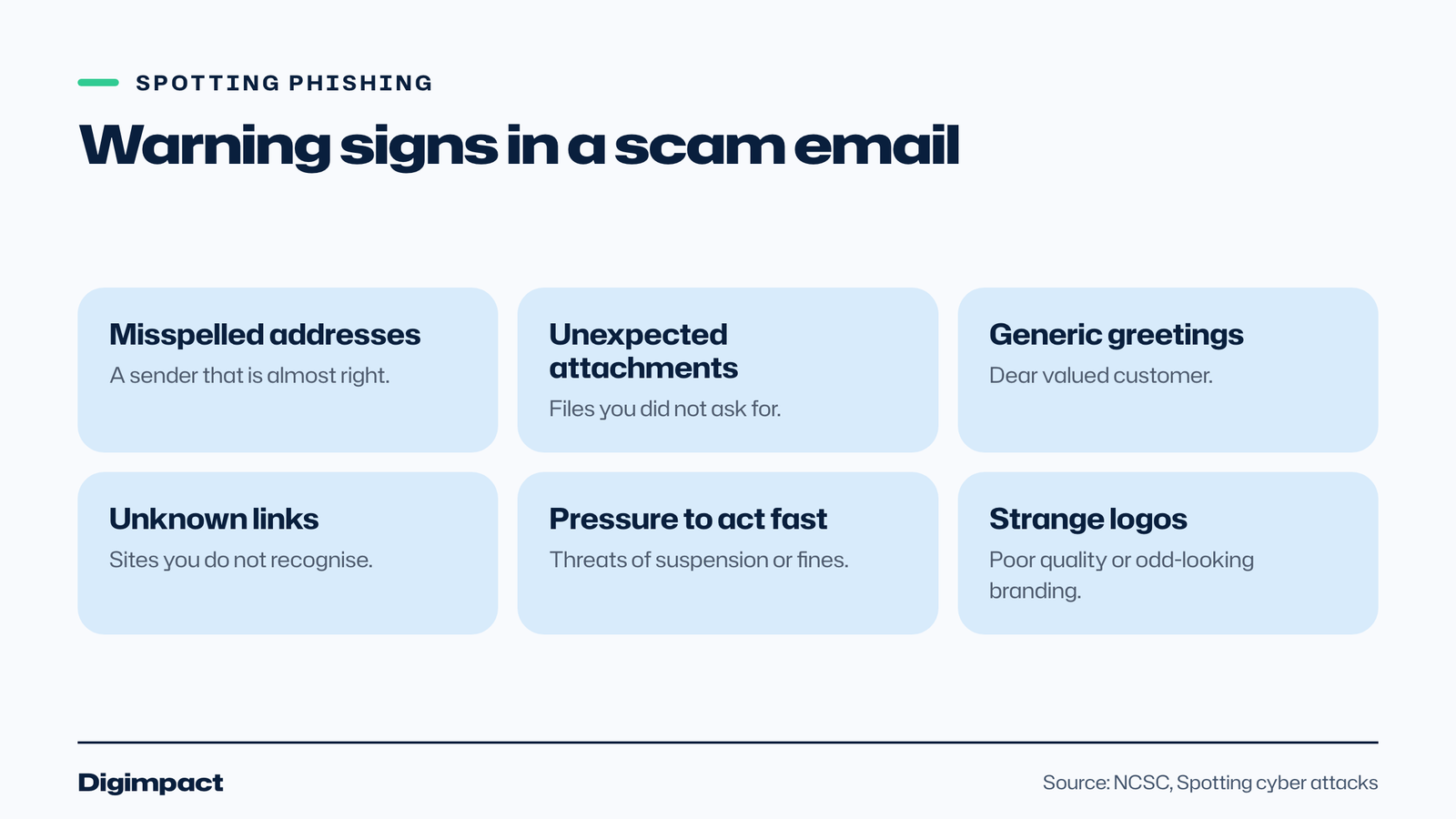
Phishing emails, texts and calls try to trick people into handing over passwords, bank details or money. The NCSC says 85% of cyber attacks against businesses start with a scam email. Warning signs include unexpected attachments, generic greetings, misspelled addresses, links to unknown sites and pressure to act fast.
The NCSC’s advice is that if you have any doubt about a message, contact the organisation directly using the details on its official website, not the numbers or links in the message. It also says you can report suspicious messages to the NCSC, and that you can forward a suspected scam text to 7726 for free so your phone provider can investigate.
Watch for messages that pretend to be your domain registrar, hosting company or Google, warning that your website or listing will be suspended unless you act now. Messages like this are designed to steal website logins. Log in to the real service directly to check.
What are the signs your website or accounts have been hacked?
The NCSC says cyber attacks often start quietly, with signs such as unusual emails in your inbox, customers receiving emails from you that you did not send, a login alert you do not recognise, a device behaving slowly or strangely, and payments leaving your account that you did not make. On a website, watch for pages, users or redirects you did not create.
Website-specific signs worth checking:
- Unknown admin users in your website’s user list.
- Pages or posts you did not write, often selling unrelated products.
- Redirects that send visitors to other sites, sometimes only on phones.
- Warnings in Google Search Console, which has a security issues report.
- Customers telling you the site looks wrong or their browser shows a warning.
If you notice any of these, follow step 8 straight away. The sooner you act, the less damage there is to clean up.
Step 8: Know what to do if you are hacked
If you think your website or accounts have been hacked, act quickly: change passwords from a clean device, turn on 2-step verification, check who has access, restore the website from a clean backup, and tell your web developer and host. The NCSC publishes Response and Recover guidance for organisations that think they have been hacked.
Keep a short emergency list somewhere safe: your host’s support contact, your domain registrar, your web developer, and where your backups are. If customer data may have been exposed, you may also have data protection duties, so check the ICO’s guidance on personal data breaches.
A website security checklist for small businesses
Use this checklist once now and again every few months. Most items take minutes, and together they cover the advice the NCSC gives small organisations and the basics of keeping a website secure.
- Email secured with a passkey, or a strong unique password and 2-step verification.
- Website, hosting and domain accounts secured the same way, owned by the business.
- Old users removed from every account.
- Website software, themes and plugins updated, unused ones deleted.
- Plugins and themes only from trusted sources.
- Backups running, kept separately and tested.
- Devices locked with a PIN or password, and updated.
- Team trained to spot phishing and check before acting.
- Emergency contacts listed: host, registrar, developer.
- Repeat every three months.
Based in Hampshire and would rather someone local did it? Our Portsmouth web designers meet you at your place, and you can open the sites we have built.
Frequently asked questions
Are small businesses really targeted by hackers?
Yes. The NCSC says small businesses are just as likely to experience online crime as larger ones, and that 1 in 2 small businesses suffer a cyber incident every year.
What is the single most important website security step?
Securing your email and the accounts behind your website, such as hosting and domain, with passkeys or strong unique passwords and 2-step verification. Access to email often gives access to everything else.
Do I need to update my website?
Yes, if it runs software you manage, such as WordPress. WordPress’s guidance says older versions are not maintained with security updates. Website builders usually update the software for you.
How often should I back up my website?
Often enough that losing everything since the last backup would not hurt. For sites that take bookings or orders, that usually means daily. Check what your host does and test a restore.
What should I do with a suspicious email?
Do not click links or open attachments. Contact the organisation directly using details from its official website, and report the message to the NCSC. Forward suspicious texts to 7726.
Is a website builder more secure than WordPress?
A website builder such as Wix, Squarespace or Shopify handles software updates and hosting security for you, which removes a lot of work. A self-hosted WordPress site can be just as secure if it is kept updated, uses trusted plugins and has strong logins and backups.
Do I need security software for my website?
Security plugins and host firewalls can help, but they do not replace the basics: secure accounts, updates, trusted plugins and tested backups. Start with those, then add tools if your site needs them.
Who is responsible if my website is hacked?
Usually the business that owns the site, together with whoever maintains it. Agree in writing who handles updates, backups and security, so nothing falls between you and your web developer or host.
Want your website looked after properly?
Website security is easier when someone keeps the software updated, the backups running and the accounts in order. Our website design service builds sites with security and backups set up from day one, and our free website check is a quick way to see where your current site stands.
See it in practice: the Bella Route Travel holiday website.
Keep reading
- How to make Reels for business on a phone, step by step A practical guide to filming Instagram Reels for a local business on a phone: what to film, how long Reels should be, how to edit and caption them, when to post and how to reuse them on other platforms.
- Apple Business Connect is now Apple Business: how to get your business on Apple Maps (2026 UK guide) Apple Business Connect became part of Apple Business in April 2026. This UK guide shows how to add your business to Apple Maps in seven steps, what is free and available in the UK, and how to use showcases, action buttons and insights.
- How to choose your Google Business Profile categories How to choose the right Google Business Profile categories, why the primary category matters most, when additional categories help, the mistakes Google warns against, and how to change them safely.
Free website check
How does your own website do?
Enter your website and see a quick check on screen in about 20 seconds: speed, Google, phones and the details that win the click. A full written report follows within two working days, free and with no sales call unless you ask.
Want help with this?
Tell us about your business. We reply within one working day with a time for a 30-minute call, and a fixed quote afterwards.
Rather talk now? Call 07551 079787.
Thanks, that is with us.
We will reply within one working day with a time for a call.