WhatsApp Business for small businesses: setup, features and the rules
How a UK small business can use the free WhatsApp Business app: setting up the profile, greeting and away messages, quick replies, labels, the catalogue, broadcasts, QR codes, and the PECR rules for marketing messages.
By GP 13 minute read
TL;DR: WhatsApp Business is a free app built for small businesses. It gives you a business profile with your hours, description and website, automatic greeting and away messages, quick replies for common questions, labels to sort chats, and a catalogue of products or services. Use QR codes and links to start conversations, and remember that UK marketing rules under PECR apply to promotional WhatsApp messages just as they do to email and texts.
Key takeaways
- WhatsApp Business is a free app for small businesses, separate from the large-scale WhatsApp Business Platform used by bigger companies.
- It adds a business profile, automatic greeting and away messages, quick replies, labels and a catalogue of products or services.
- Free ways to start chats include QR codes, short links and action buttons on your Facebook Page and Instagram profile.
- Business Broadcasts, for messaging many customers at once, are available to eligible users in select countries, according to WhatsApp.
- The ICO says the UK marketing rules for email and texts also apply to direct messages, so promotional WhatsApp messages need consent or the soft opt-in.
What is WhatsApp Business?
WhatsApp Business is a free app, made by WhatsApp, for small businesses to talk to customers. It works like the normal WhatsApp app but adds a business profile, automatic messages, quick replies, labels and a catalogue. WhatsApp describes it as built with the small business owner in mind, to connect with customers, showcase products and run the business more efficiently.
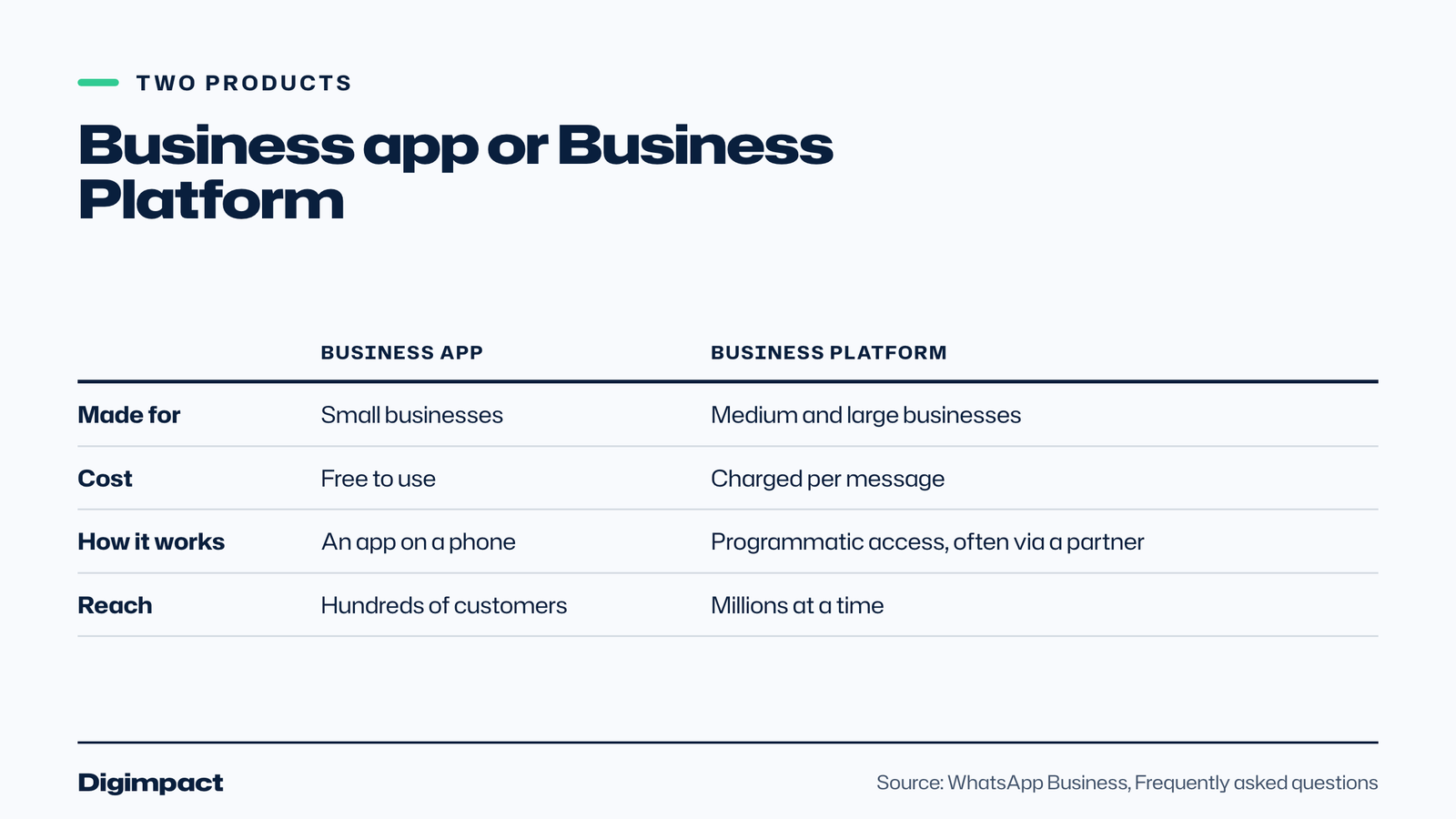
WhatsApp’s own frequently asked questions explain the difference between the app and the WhatsApp Business Platform. The app is for small businesses communicating with customers through a free-to-download app; it is free to use, lets businesses reach hundreds of customers and offers limited customisation. The Platform is for medium and large businesses messaging at scale through programmatic access, and charges per message. Everything in this guide comes from WhatsApp’s pages, checked on 15 October 2026.
For a café taking orders, a salon confirming appointments or a tradesperson sharing photos of a leak, WhatsApp is often how customers already prefer to get in touch. The Business app makes that more organised and more professional.
How do you set up WhatsApp Business?
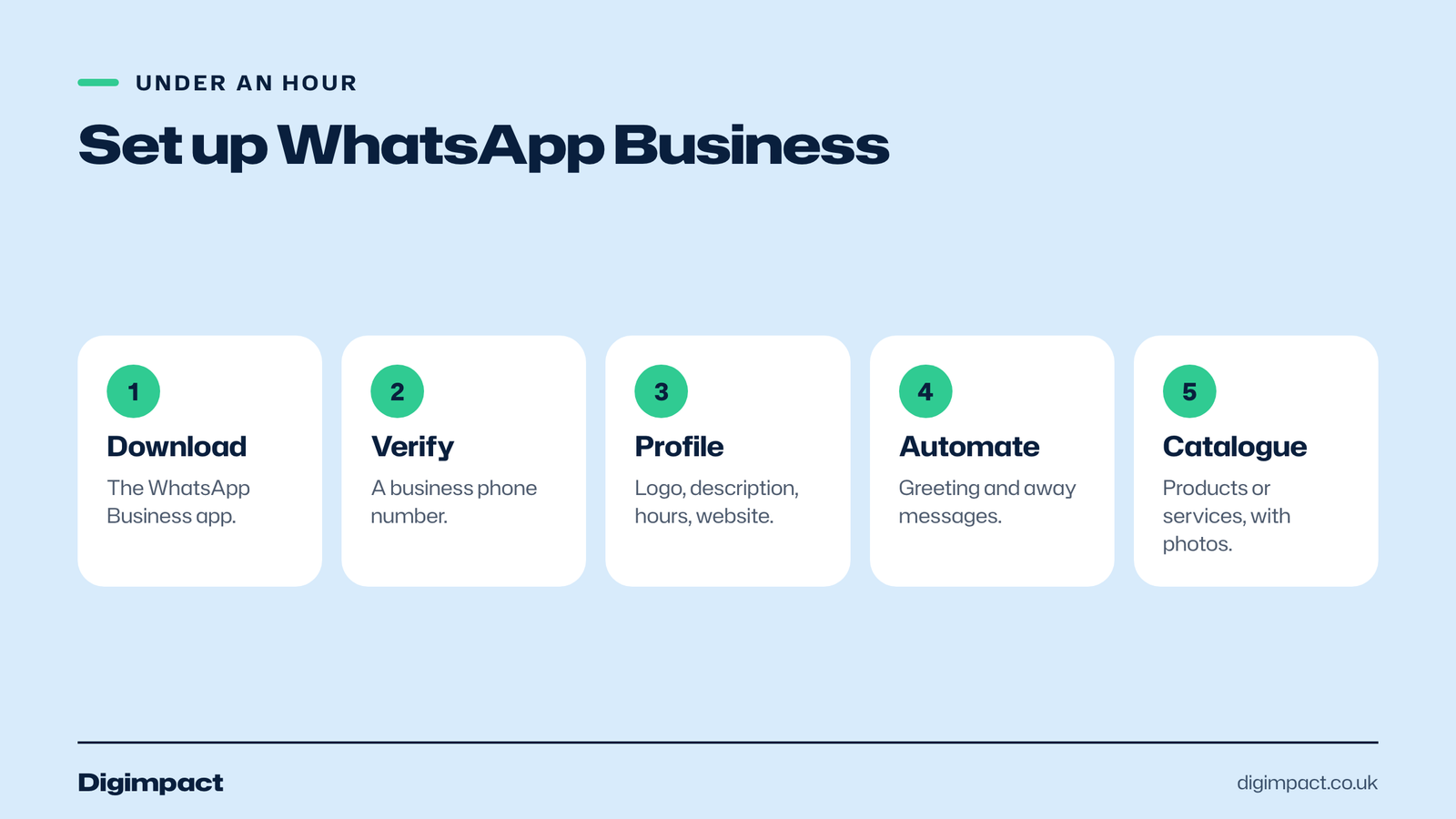
Download the WhatsApp Business app, verify your business phone number, then fill in your business profile: name, logo, description, address, opening hours and website. Set a greeting message and an away message, create a few quick replies, and add your products or services to the catalogue. Most businesses can do this in under an hour.
Use a number that belongs to the business rather than your personal WhatsApp, so the account can stay with the business if staff change. WhatsApp’s features page describes the business profile as a virtual storefront with helpful information such as your logo, business description, hours of operation and website.
Keep the profile consistent with your Google Business Profile and website: the same name, hours and address. Customers often check more than one before they message, and matching details build trust.
Which WhatsApp Business features matter most?
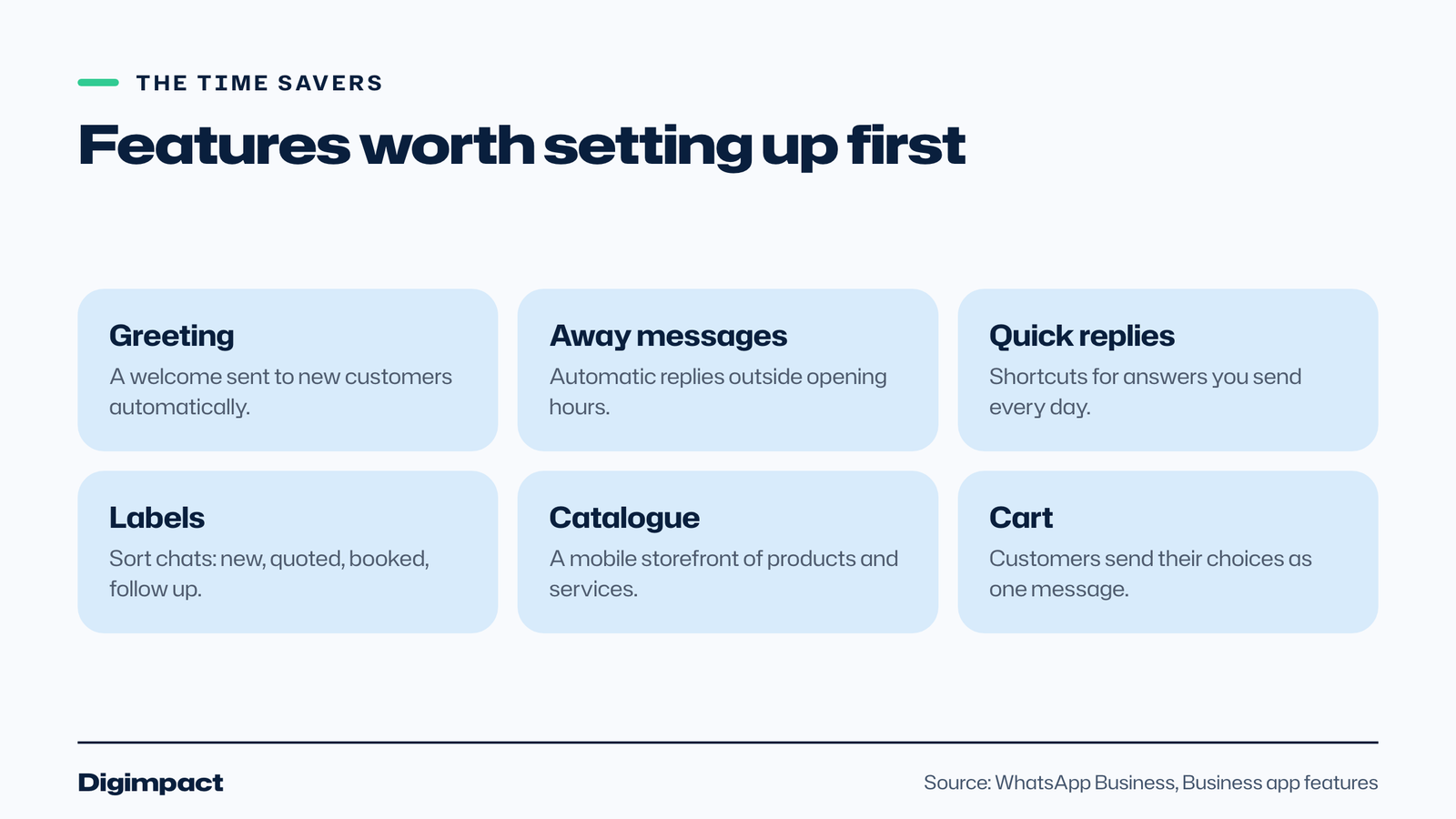
For most small businesses, the features that save the most time are the greeting message, the away message, quick replies and labels. The catalogue matters if you sell products or set services. WhatsApp’s business app features page describes each one.
| Feature | What WhatsApp says it does | Good for |
|---|---|---|
| Business profile | A virtual storefront with logo, description, hours and website | Every business |
| Greeting | Sends a custom welcome to new customers who start a chat | First impressions |
| Away messages | Replies automatically outside your business hours | Evenings and busy shifts |
| Quick replies | Shortcuts for messages you send often | Prices, directions, booking links |
| Labels | Organise and filter conversations | New orders, unpaid, follow up |
| Catalogue | A mobile storefront of products and services, with collections | Shops, menus, treatments |
| Cart | Customers choose items and send them as one message | Orders and collections |
How do greeting and away messages work?
A greeting message is sent automatically when a new customer starts a conversation, and an away message replies automatically to messages received outside your business hours. WhatsApp says away messages set expectations and let customers know when you will be back. Together they make sure nobody is left wondering whether you saw their message.
Keep both short and useful. A good greeting thanks the customer, says how quickly you usually reply and points to the fastest way to book. A good away message gives your opening hours, when you will reply, and an alternative for urgent requests, such as your online booking page or an emergency number.
Example greeting: Hi, thanks for messaging Bloom Hair. We usually reply within an hour during opening times. To book now, use our online booking page.
Example away message: Thanks for your message. We are closed right now and will reply when we open at 9am. You can book any time on our website.
How do quick replies and labels save time?
Quick replies are shortcuts for messages you send often, so you can answer common questions in a few taps. Labels let you organise and filter conversations, so you can find the ones that need attention. Between them, they turn a busy inbox into a simple to-do list.
Create quick replies for the questions you answer every day: opening hours, prices, directions and parking, how to book, what to bring to an appointment, and payment options. Keep each one short and friendly, and personalise it with the customer’s name before you send it.
Some example quick replies to adapt:
- Hours: We are open Tuesday to Saturday, 9am to 6pm, and Sunday 10am to 4pm.
- Booking: You can choose a time that suits you on our booking page, and you will get a confirmation straight away.
- Directions: We are on the high street opposite the library, with free parking behind the building.
- Quote: Thanks for the photos. We will send a written quote today, with no obligation.
- Payment: We take card, cash and bank transfer, and send a receipt by email.
Set a short shortcut for each, such as /hours or /book, so staff can send them in seconds and every customer gets the same accurate answer.
Use labels for the stages your customers go through, such as New enquiry, Quote sent, Booked, Paid and Follow up. At the end of each day, check the Follow up label so nothing slips through.
Should you set up a WhatsApp catalogue?
Yes, if customers ask what you sell or how much it costs. WhatsApp describes the catalogue as a mobile storefront where you can showcase products and services and group similar items into collections. You can share the whole catalogue or single items as links on WhatsApp, Facebook and Instagram, and customers can use a cart to send their choices as one message.
A catalogue works for more than shops. A café can list its cakes for collection, a salon its treatments, a florist its bouquets, and a tradesperson their standard services such as a boiler service. Use real photos, clear names and, where you can, prices, and keep it up to date when things change.
How do customers find you on WhatsApp?
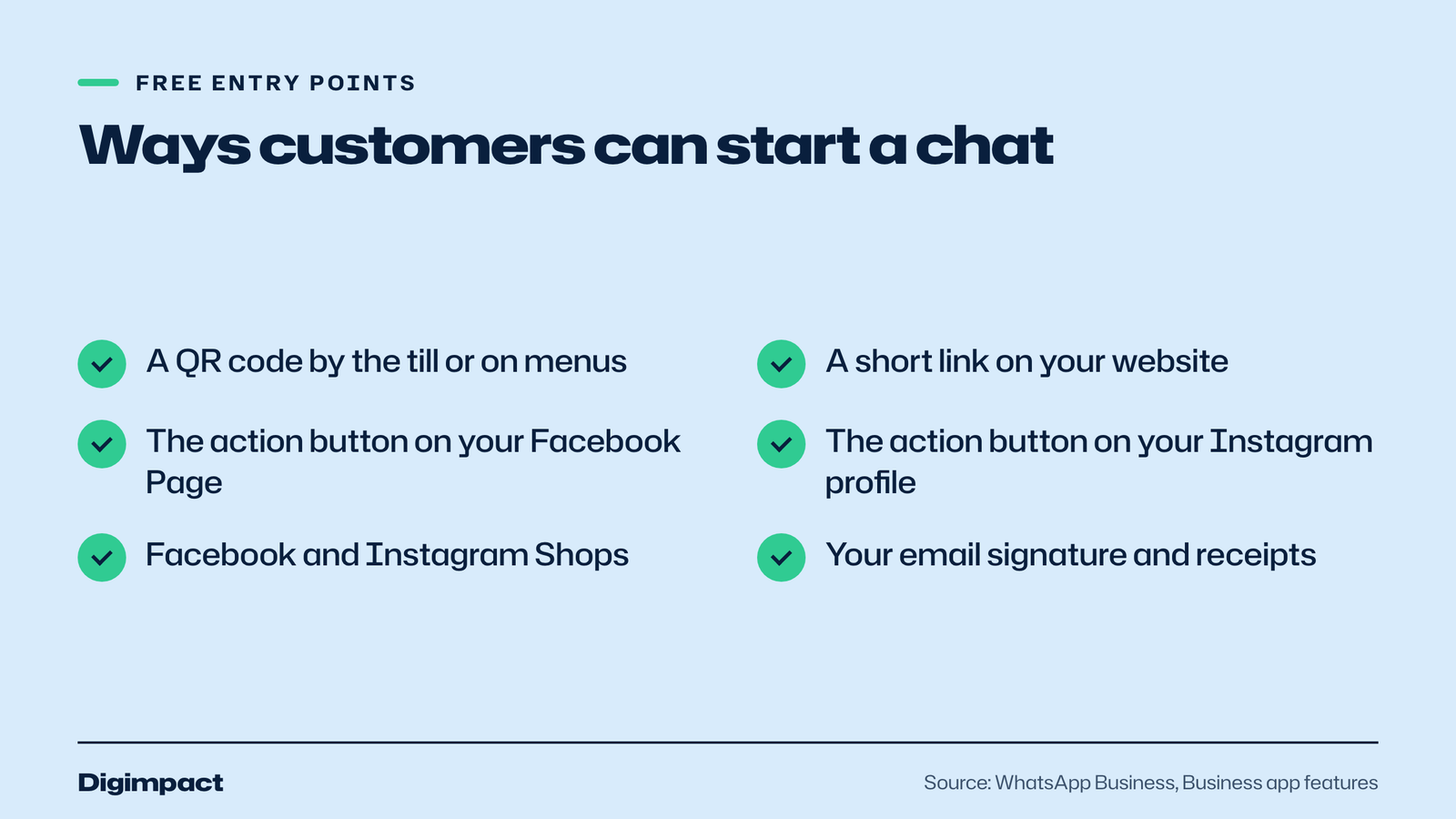
WhatsApp lists free ways to start conversations: QR codes, short links, action buttons on your Facebook Page and Instagram profile, and Facebook and Instagram Shops. Put your WhatsApp QR code by the till, on menus and receipts, and add the link to your website and social profiles.
WhatsApp also offers paid routes, such as ads that click to WhatsApp, which send people from Facebook and Instagram straight into a chat with your business. For most local businesses, the free routes are enough to start. Add a Message us on WhatsApp button to your website’s contact page so customers can choose the way they prefer.
Can you send marketing messages on WhatsApp?
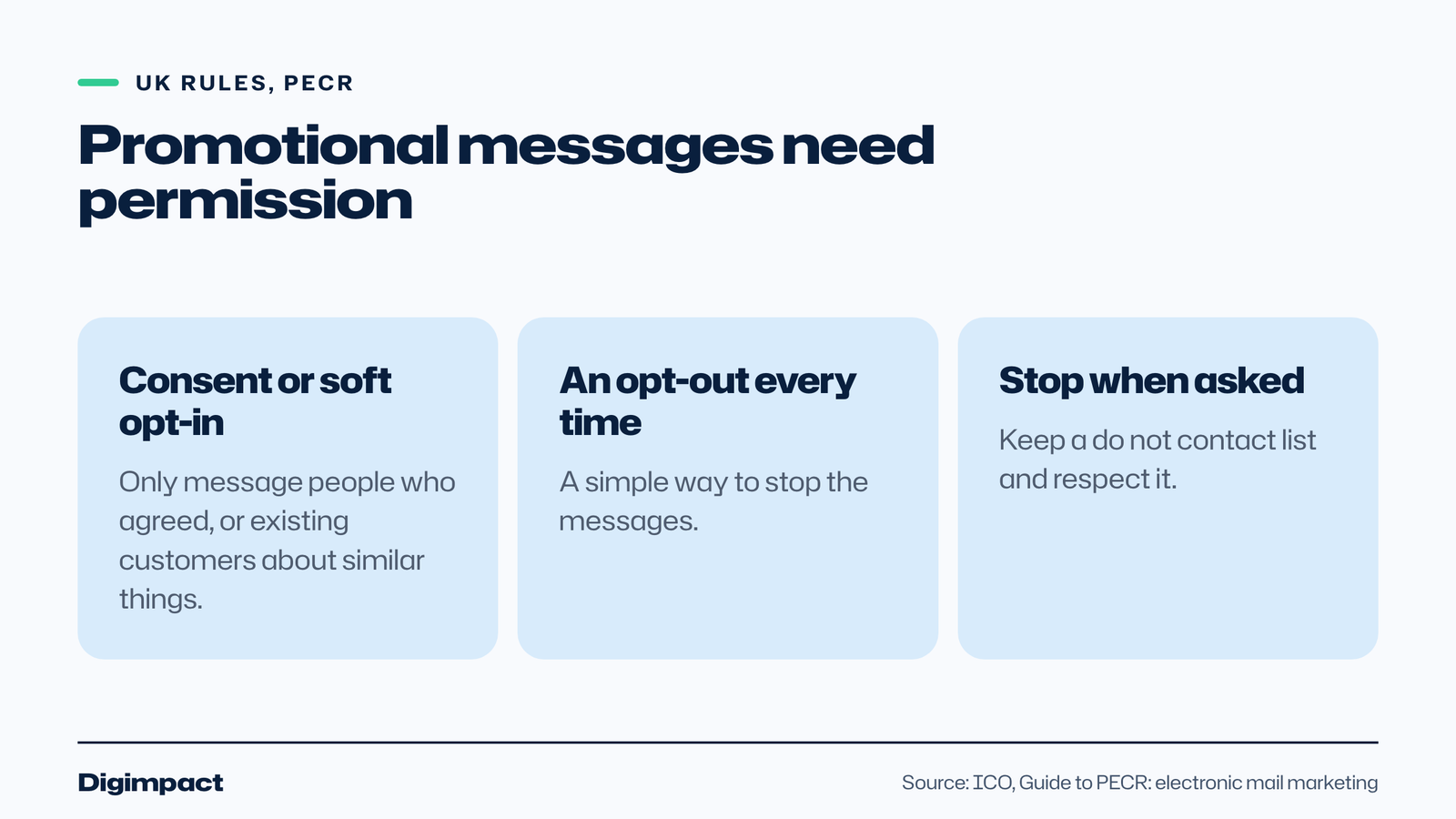
You can, but UK marketing rules apply. The ICO’s guide to electronic mail marketing says the same rules that cover marketing emails and texts also apply to direct messages via social media and similar messages. That means you need consent, or the soft opt-in for existing customers, before sending promotions.
WhatsApp describes Business Broadcasts as a way to send private messages to many people at once to drive repeat sales, bookings and replies, with options to schedule them and add buttons such as Book, Order and Call. It says they are available to eligible users in select countries. Whatever tool you use, only message people who agreed to hear from you or who are covered by the soft opt-in, include a simple way to opt out, and stop when someone asks.
Replies to a customer’s own question, such as confirming a booking or sending a quote they asked for, are part of serving that customer. Promotions they did not ask for are marketing. Our guide to the email marketing rules UK businesses must follow explains consent and the soft opt-in in detail.
How should a small business reply on WhatsApp?
Reply quickly, personally and clearly. Customers who message usually want a fast answer, so aim to reply within an hour during opening times, use the customer’s name, answer the question first and finish with the next step, such as a booking link or a time to call. Quick replies help you do this consistently.
A few habits make WhatsApp conversations work for a business:
- Answer first, then add detail. Lead with the price, the time or the yes or no.
- Send one clear next step. A booking link, a catalogue item or a question to move things on.
- Use photos and voice notes carefully. A photo of the finished job or the dish helps; long voice notes are hard to skim.
- Confirm in writing. Repeat the date, time and price so there is a record.
- Close the loop. Label the chat as booked or done so nothing is left hanging.
Treat the chat as part of your customer service. A friendly, fast reply on WhatsApp can win a booking that an unanswered email or a missed call would lose.
Can WhatsApp take bookings and orders?
WhatsApp can take orders through the catalogue and cart, and you can confirm bookings in the chat, but it is not a booking system. For appointments and tables, send customers to your online booking page with a quick reply or catalogue link, so the diary, reminders and deposits stay in one place.
WhatsApp says Business Broadcasts can include buttons such as Book, Order and Call, where available. Even with those, keep one source of truth for your diary. Taking some bookings in WhatsApp and others online is how double bookings happen. Our guide to Reserve with Google explains how to link a booking page to your Google profile too.
What about privacy and customer data?
Customers share names, numbers, photos and sometimes personal details in WhatsApp chats. Treat them as you would any other customer data: only keep what you need, do not share one customer’s details with another, and take care with personal phones used for work. Your privacy policy should mention that you use WhatsApp to talk to customers.
Use a business phone where possible, keep it locked, and remove staff access when someone leaves. If you use the WhatsApp Business app on a shared device, agree who can see which chats. These simple steps protect your customers and your business.
Can more than one person use the account?
Yes. WhatsApp’s features page says Meta Verified businesses can link up to 10 devices and agents to their account, to handle more orders and respond to more customers. Meta Verified also adds a verification badge and impersonation protection. For a small team, check what your plan allows before relying on several people answering from one number.
Whoever answers, agree a few house rules: reply within a set time during opening hours, use quick replies for consistency, label every chat, and never share personal details from one customer with another. If customers send photos or personal information, treat it with the same care as anything else you hold about them.
Is WhatsApp right for every business?
It suits most businesses whose customers already use WhatsApp to ask quick questions, send photos or confirm details: restaurants and cafés taking orders, salons and clinics answering questions, trades sharing photos of a job, and shops answering stock queries. It is less useful if your customers mostly book online without questions, or if you cannot reply promptly.
Before you promote your number widely, make sure someone can actually answer it. A WhatsApp link that leads to slow or missing replies does more harm than having no link at all. Start by adding it to your website contact page and Google profile, watch how many chats arrive, and expand from there once replies are reliable.
Common WhatsApp Business mistakes
The most common mistakes are using a personal number, leaving the profile half filled in, no away message, slow replies, sending promotions to people who never agreed, and letting chats pile up with no labels. Each is easy to fix in a few minutes.
- Personal number. Use a business number so the account stays with the business.
- Empty profile. Add your logo, description, hours, address and website.
- No away message. Customers who message after hours should know when you will reply.
- Slow replies. Set a target, such as within an hour during opening times.
- Unwanted promotions. Follow PECR: consent or the soft opt-in, and an opt-out.
- No labels. Sort chats so follow-ups do not get lost.
Frequently asked questions
Is WhatsApp Business free?
Yes. WhatsApp says the Business app is free to download and use. The separate WhatsApp Business Platform, for larger businesses messaging at scale, charges per message.
What is the difference between WhatsApp and WhatsApp Business?
WhatsApp Business adds tools for businesses: a business profile, greeting and away messages, quick replies, labels and a catalogue. It is designed for small businesses talking to customers.
Can I send promotions to all my customers on WhatsApp?
Only to people who agreed to receive them or who are covered by the soft opt-in, with a simple way to opt out. The ICO says the UK rules for marketing emails and texts also cover direct messages.
Can I use WhatsApp Business on a computer?
You can link devices to your WhatsApp Business account. WhatsApp says Meta Verified businesses can link up to 10 devices and agents.
How do customers find my WhatsApp?
Use free entry points: a QR code in your shop, a link on your website, and action buttons on your Facebook Page and Instagram profile. Add the link to your Google profile and email signature too.
Can I use WhatsApp Business and normal WhatsApp on the same phone?
Many phones can run both apps, each with its own number. Keep your personal chats in WhatsApp and customer chats in WhatsApp Business, so work and personal messages stay separate.
Want messaging set up for your business?
WhatsApp Business works best when it is connected to your website, booking system and social profiles. Our customer chat service sets up WhatsApp and website messaging with quick replies and away messages, and our social media management plans link it to your Instagram and Facebook.
Related reading: free staff rota template for Excel and Google Sheets.
Keep reading
- How to make Reels for business on a phone, step by step A practical guide to filming Instagram Reels for a local business on a phone: what to film, how long Reels should be, how to edit and caption them, when to post and how to reuse them on other platforms.
- Apple Business Connect is now Apple Business: how to get your business on Apple Maps (2026 UK guide) Apple Business Connect became part of Apple Business in April 2026. This UK guide shows how to add your business to Apple Maps in seven steps, what is free and available in the UK, and how to use showcases, action buttons and insights.
- How to choose your Google Business Profile categories How to choose the right Google Business Profile categories, why the primary category matters most, when additional categories help, the mistakes Google warns against, and how to change them safely.
Free website check
How does your own website do?
Enter your website and see a quick check on screen in about 20 seconds: speed, Google, phones and the details that win the click. A full written report follows within two working days, free and with no sales call unless you ask.
Want help with this?
Tell us about your business. We reply within one working day with a time for a 30-minute call, and a fixed quote afterwards.
Rather talk now? Call 07551 079787.
Thanks, that is with us.
We will reply within one working day with a time for a call.